
How to Add Icebreakers on WhatsApp Business API Number
What Are Icebreakers?
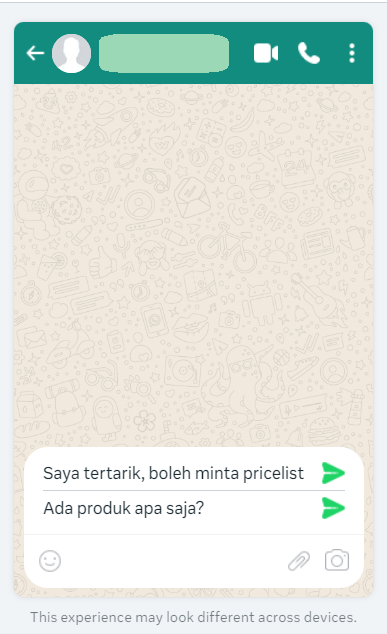
Icebreakers are preset questions that appear as clickable buttons when a customer sends a message to your WhatsApp Business account for the first time.
These questions help guide conversations and make it easier for customers to get started without having to type.
Example Icebreakers:
“What products do you offer?”
“How can I place an order?”
“Do you offer delivery?”
When Do Icebreakers Show Up?
Icebreakers appear only the first time when the customer initiates a message to your WhatsApp number (e.g., initiates the chat by clicking the button to WhatsApp from Ads, web, social media, or directly to your number).
Once the customer sends any message, Icebreakers will disappear and won’t be shown again, unless the customer deletes the chat room from their WhatsApp app and initiates again.
How to Set Up Icebreakers on WABA
Before You Begin
To set up Icebreakers, you’ll need:
An active WABA account
Admin access to your business’s Facebook Business Manager and WhatsApp Manager
If you have a WABA account integrated with Qiscus Omnichannel but don't have access to the WhatsApp Manager, please contact our support team.
Step-by-Step Guide
Log in to Facebook Business Manager https://business.facebook.com
Choose the business that manages your WhatsApp number.Open WhatsApp Manager
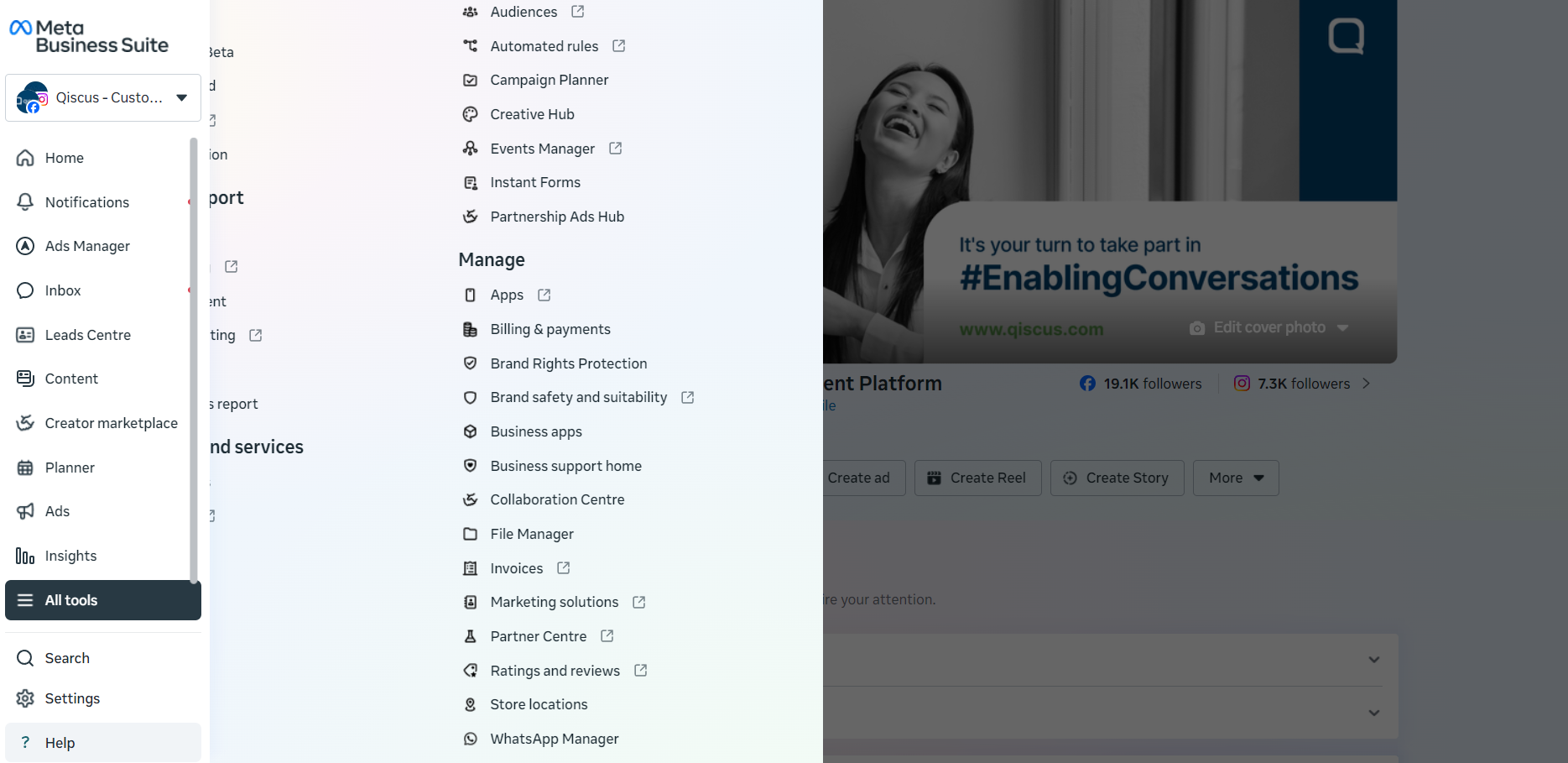
Click “All Tools” (or use the sidebar menu)
Select “WhatsApp Manager”
Choose Your WABA Number
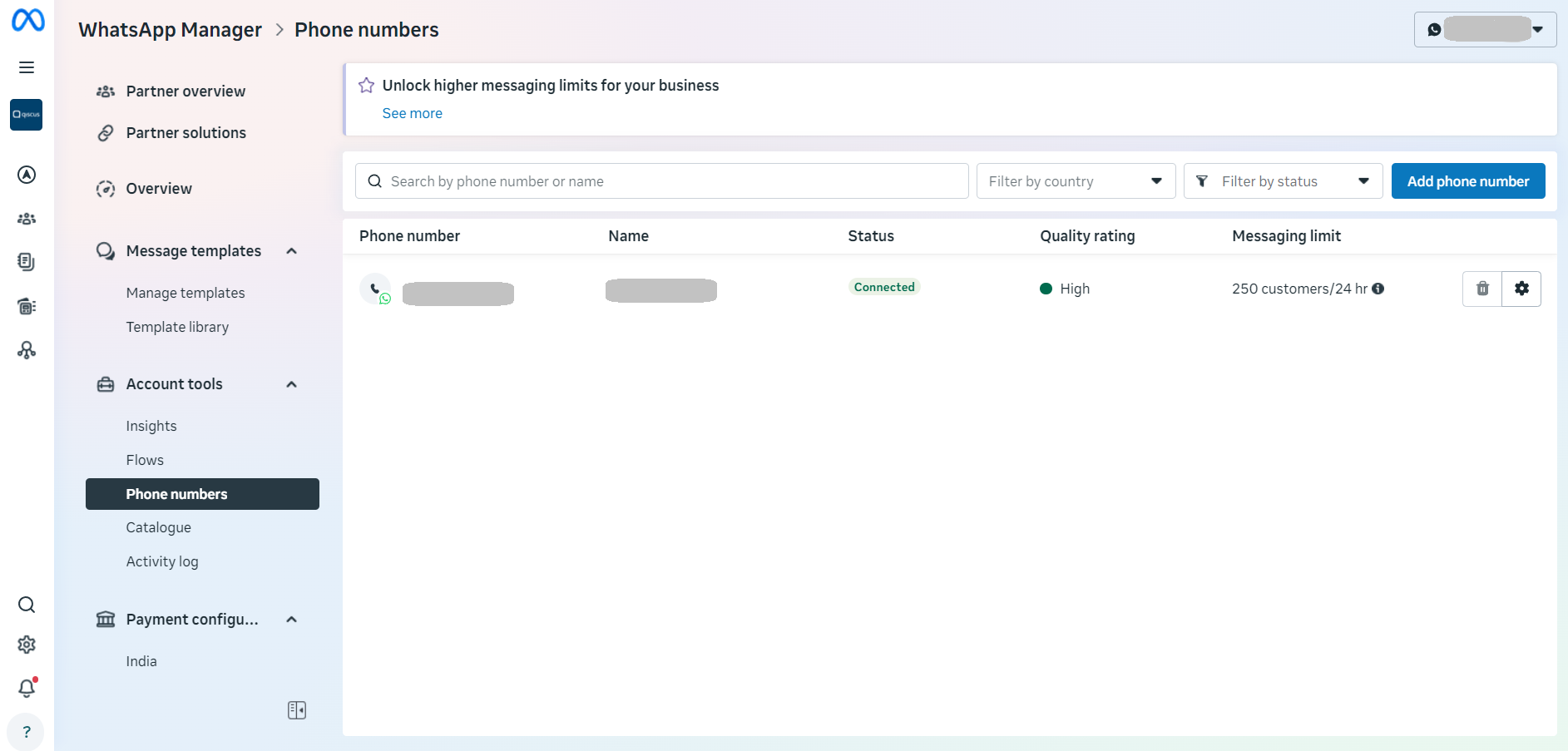
Click Phone Numbers, click the settings on the WhatsApp number you use
Set Up Icebreakers
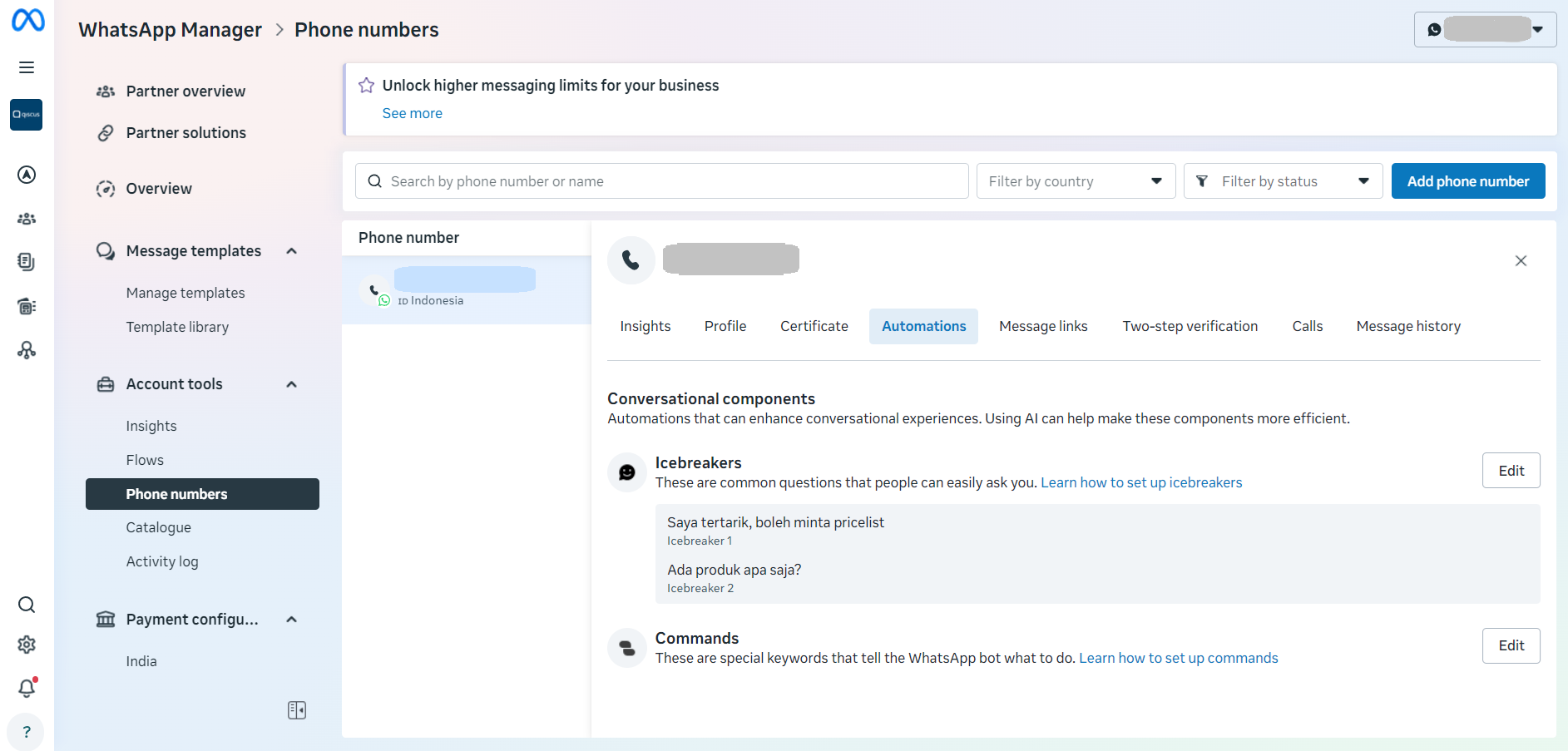
Select the "Automations" tab, scroll to the “Icebreakers” section
Click Edit or Add Icebreakers
Add Your Questions
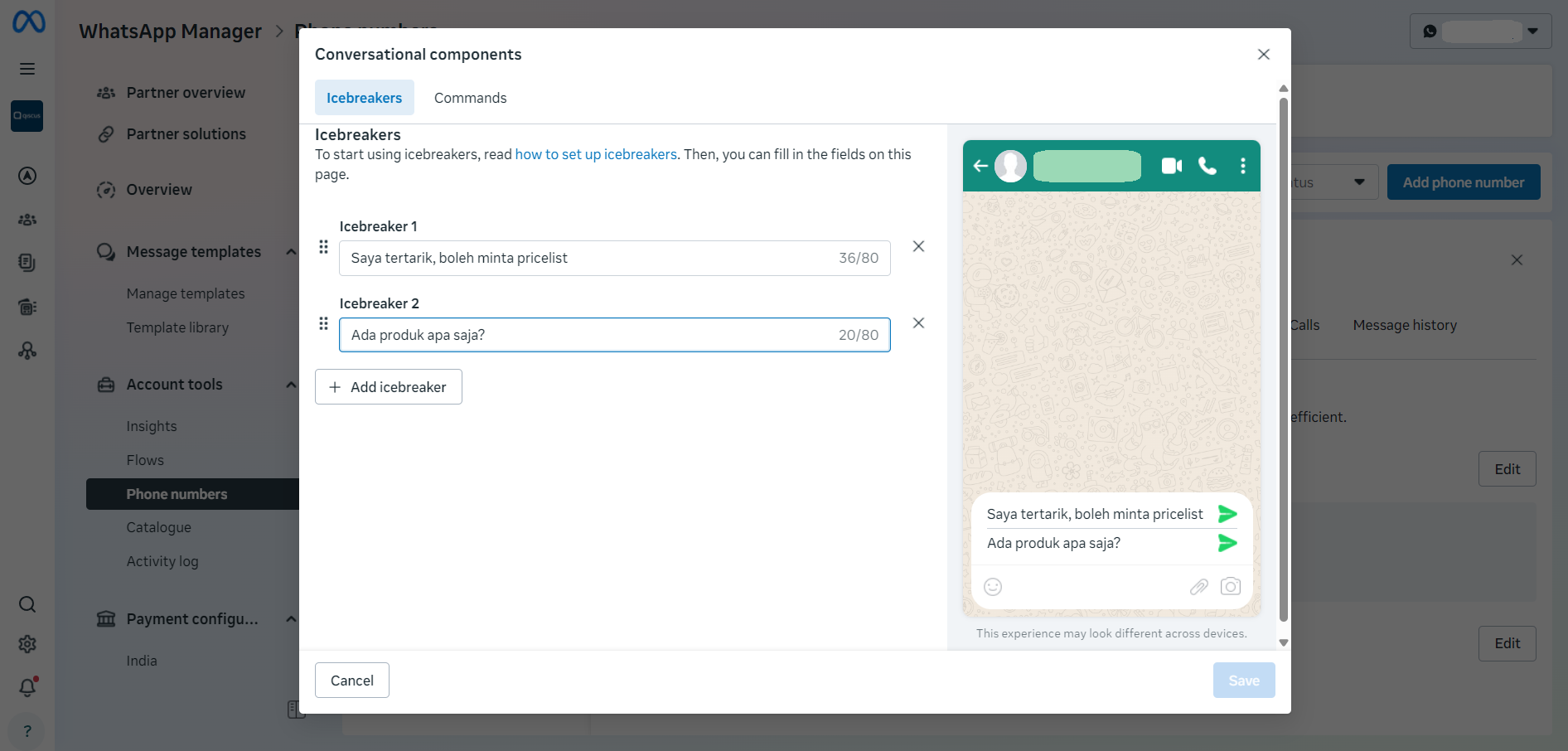
You can create up to 4 questions
Keep them short, clear, and helpful
Example:
“How do I place an order?”
“Can I speak to a sales agent?”
Save Your Settings
Click Save, and your Icebreakers are now live!